
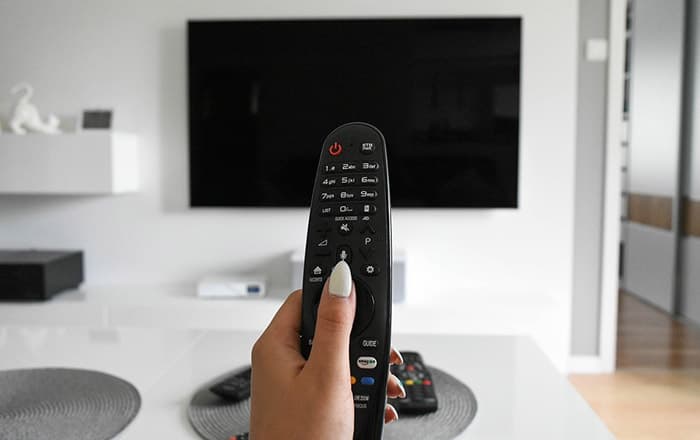
If after a power surge my TV turns on but shows no picture, it usually means internal components were affected even though the TV still powers on. This situation is very common after storms, grid maintenance, or sudden outages when voltage spikes reach household electronics.
Homeowners often notice that the TV appears normal at first: indicator lights work, the remote responds, and sometimes there is sound — but the screen remains black. In many cases, the problem is relatively simple, such as a protection mode or failed backlight. In others, the power surge may have caused more serious internal damage. Understanding which scenario applies helps you decide what to check and whether repair is worth considering.
What Does It Mean When a TV Turns On but Has No Picture After a Surge?
When this happens, the TV is still receiving power, but the video path is not functioning correctly. Most often, the display panel itself is fine, while the backlight, video circuitry, or power regulation has been disrupted. This pattern is especially typical after a power surge rather than a gradual electronic failure.
Is It Safe to Keep the TV On?
In most modern TVs, basic protection circuits prevent immediate catastrophic failure. However, continuing to use a TV after a surge-related issue isn’t always risk-free.
You should unplug the TV right away if you notice:
- A burning or electrical smell
- Clicking, popping, or buzzing sounds
- Flashing standby lights or repeated restarts
If the TV simply turns on with a black screen and no unusual signs, it’s generally safe to leave it unplugged while you troubleshoot. Repeatedly turning the TV on and off can stress damaged components and make the problem worse, especially after electrical events similar to those described in After lights flickered breaker didn’t trip.
Most Common Reasons This Happens After a Power Surge
Damaged Backlight or LED Driver
One of the most common scenarios is when the TV has sound but no picture after surge. This usually indicates a failed backlight or LED driver.
In many cases, the image is still being generated, but the screen isn’t illuminated. Power surges frequently damage backlight circuits because they operate at higher voltages. Technicians often confirm this issue using a simple flashlight test before opening the TV.
This is a classic example of TV backlight not working after surge rather than a dead screen.
Blown HDMI or Input Board
If TV turns on but no picture after power surge only occurs with external devices, the input circuitry may be affected.
Typical signs include:
- No image from any HDMI-connected device
- Streaming boxes or consoles still working elsewhere
- Sometimes the TV menu also fails to appear
Surges can travel through connected cables and damage HDMI or input boards even when the panel itself is intact.
Power Supply Board Issues
Power supply boards absorb and regulate incoming voltage, making them especially vulnerable during surges.
Common symptoms:
- TV powers on but behaves inconsistently
- TV black screen after electrical surge
- Unexpected shutdowns
In these cases, the TV receives enough power to turn on but not enough to drive the display reliably. This answers the common question of can a power surge damage a TV without completely killing it — yes, it can.
Internal Protection Mode
In some situations, no physical damage occurs. After a voltage spike, internal firmware protection can cause the TV to freeze in an abnormal state.
If the issue appeared immediately after a surge and there are no warning signs like smells or noises, a full power disconnect sometimes clears the problem. In many cases, this is the simplest and least serious outcome.
What You Can Check Yourself (Safe Steps)
Before assuming permanent damage, run through this checklist. It takes about 10–15 minutes and requires no tools.
- Unplug the TV from the wall for 10–15 minutes
- Disconnect all HDMI and external devices
- Plug the TV into a different wall outlet
- Turn the TV on with no signal sources connected
- Shine a flashlight at an angle on the screen to look for a faint image
If you see a dim picture, the panel is working and the issue is almost certainly backlight-related.
⚠️ Important: Do not open the TV or remove the back panel. Internal components can retain voltage, and opening the TV may worsen damage or create safety risks.
What NOT to Do
To avoid making the situation worse:
- Do not open the TV or attempt internal repairs
- Do not repeatedly power-cycle the TV hoping it recovers
- Do not replace boards “just to try”
Random repairs often cost more than proper diagnosis and rarely fix the real issue.
Is This Likely Permanent Damage?
It depends on what failed.
In many cases, there’s a clear difference between:
- Temporary glitch: firmware lock or protection mode
- Hardware failure: backlight, power board, or video circuitry
If the issue appeared immediately after a surge — especially when the TV black screen after electrical surge appears immediately — hardware damage is more likely than a software issue.
When Repair Makes Sense (and When It Doesn’t)
Repair decisions usually depend on the failed component and the TV’s age.
- Backlight issues are often repairable
- Power supply problems vary in severity
- Main board or panel damage is usually not worth fixing
Older TVs are less cost-effective to repair, while newer models may justify professional service.
How to Prevent This in the Future
To reduce future risk:
- Use a quality surge protector for electronics
- Unplug the TV during severe storms when possible
- Consider whole-house surge protection if power issues are frequent
These steps are similar to precautions recommended for appliances discussed in After power outage fridge is running but not cooling properly and help protect multiple devices at once.
FAQ
Can a power surge damage a TV without blowing a fuse?
Yes. Many modern TVs don’t rely on simple fuses. Sensitive components can fail even when no fuse is visibly blown.
Why does my TV have sound but no picture after a surge?
This usually means the backlight or LED driver failed while the rest of the TV continues to function.
Will a factory reset fix this issue?
Rarely. A reset may help only if the TV is stuck in a protection state. It won’t repair physical damage.
Is a black screen after a power surge always a bad backlight?
No. Input boards, power supply issues, or internal protection modes can also cause a black screen.
Final Thoughts
If after a power surge my TV turns on but shows no picture, the problem is usually related to the backlight, power supply, or internal protection rather than user settings. In most cases, you can identify the likely cause in under 10 minutes using safe checks.
Knowing whether the issue is temporary or permanent helps you decide if repair is reasonable — and prevents unnecessary costs or risks the next time the power fluctuates.