
Introduction
If after changing HVAC settings humidity increased indoors, you’re not imagining things. It’s surprisingly common to adjust your thermostat — maybe to save energy or improve comfort — and then notice the air feels sticky, heavier, or even slightly damp.
You might see condensation on windows, feel that uncomfortable “clammy” sensation, or notice that your home doesn’t cool as comfortably as before.
In many cases, this isn’t a serious HVAC failure. It’s often related to fan mode, temperature settings, shorter cooling cycles, or airflow adjustments that accidentally reduce dehumidification. The key is understanding how your system handles moisture — and how small setting changes can affect it.
Let’s walk through what likely happened and how to fix it.
Why humidity can increase after changing HVAC settings
Air conditioning systems don’t just cool the air — they also remove moisture. But they can only do that under the right operating conditions.
Here are the most common reasons humidity rises after thermostat adjustments.
1. Fan set to “ON” instead of “AUTO”
This is one of the biggest causes of HVAC humidity problems.
When the fan is set to ON, it runs continuously — even when the AC compressor isn’t cooling. That means moisture that collected on the cooling coil can re-evaporate back into your home.
When set to AUTO, the fan runs only during active cooling cycles, allowing moisture to drain properly.
A simple fan mode change can dramatically affect indoor humidity.
2. Temperature set too high
If you raised the thermostat temperature, your AC runs less often.
Shorter cooling cycles = less moisture removal.
Air conditioners remove humidity during longer cooling cycles. When the system doesn’t run long enough, it cools slightly but doesn’t effectively dehumidify.
This often explains why the house feels humid after AC adjustment, even if the temperature reading seems fine.
3. Short cycling
If settings cause the system to turn on and off quickly, it may not stay on long enough to pull moisture from the air.
Dehumidification happens gradually — not instantly.
4. Reduced airflow balance
Changing settings on variable-speed systems or smart thermostats can alter airflow. If airflow is too high, the system may cool air quickly without removing enough moisture.
5. Incorrect humidity control settings
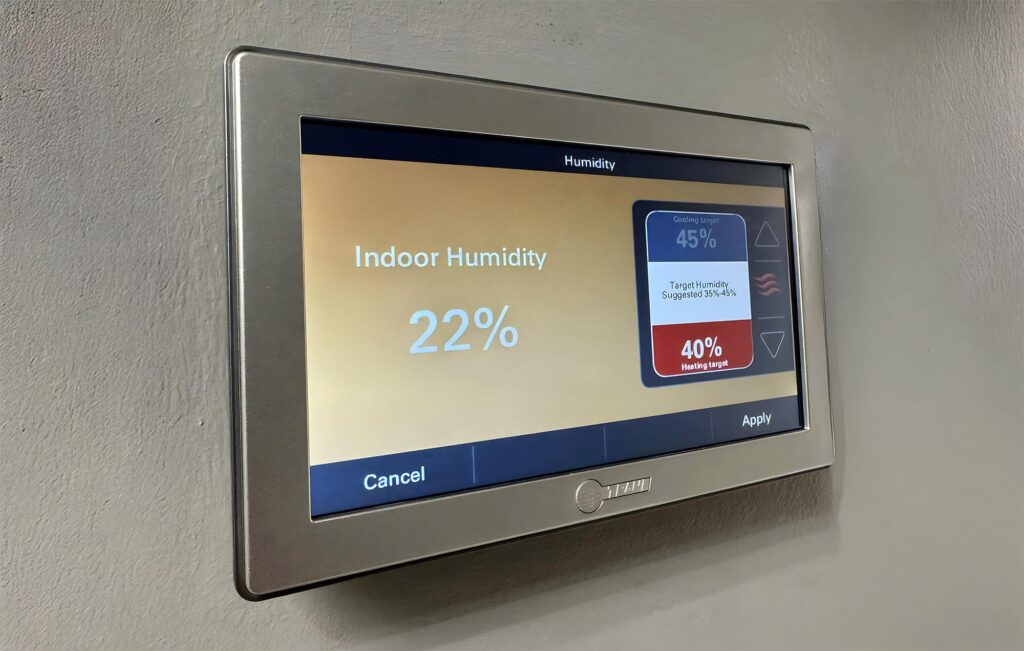
Some smart thermostats have humidity targets. If these were accidentally adjusted, the system may prioritize energy savings over moisture control.
Common thermostat settings that cause higher indoor humidity
If your indoor humidity too high after thermostat change, check these specific settings.
Continuous fan mode
As mentioned earlier, “ON” mode circulates air constantly. This often leads to:
- sticky indoor air
- reduced moisture removal
- humidity fluctuations.
Switching to AUTO is often the fastest fix.
Eco or energy-saving modes
Energy-saving programs may:
- reduce cooling frequency
- increase temperature swings
- limit compressor runtime.
While efficient, they sometimes reduce dehumidification performance.
Smart thermostat automation errors
Smart thermostats sometimes:
- misread occupancy
- change temperature aggressively
- adjust fan behavior automatically.
Review recent schedule changes carefully.
Overly aggressive energy-saving settings
Raising the temperature several degrees at once can significantly reduce runtime, increasing moisture levels.
How HVAC systems actually remove humidity (simple explanation)
Understanding this helps everything make sense.
When your AC runs:
- Warm indoor air passes over a cold coil.
- Moisture in the air condenses on that coil (like water on a cold drink).
- That water drains away.
Longer cooling cycles allow more moisture to collect and drain.
But here’s the important part:
- Air circulation alone does not remove humidity.
- Only active cooling cycles remove moisture.
So if your AC is running less — or the fan is running without cooling — humidity can build up.
This explains why AC not removing humidity often traces back to runtime and fan settings.
How to fix humidity problems step by step
If after changing HVAC settings humidity increased indoors, follow this troubleshooting flow.
Step 1: Switch fan to AUTO
Check your thermostat and ensure:
Fan Mode = AUTO
This single change often resolves the issue within a day.
Step 2: Adjust temperature gradually
Avoid large jumps in temperature settings.
Instead of raising the temperature 3–4 degrees at once, adjust gradually and observe comfort levels.
Step 3: Check airflow
Make sure:
- vents are open
- returns aren’t blocked
- furniture isn’t restricting circulation.
Restricted airflow can affect dehumidification.
Step 4: Inspect the air filter
A dirty filter reduces efficiency and can impact moisture control.
Replace it if it looks clogged.
Step 5: Monitor indoor humidity
Use a simple digital hygrometer.
Ideal indoor humidity range:
- 30–50% in most climates
- Up to 55% may be acceptable in humid regions
If levels stay consistently above 60%, further action is needed.
Step 6: Consider a dehumidifier (if climate demands it)
In very humid climates, even a properly functioning HVAC system may struggle.
A standalone dehumidifier can help stabilize moisture levels.
Signs the issue is not settings but equipment
Sometimes humidity increase isn’t caused by thermostat changes at all.
Watch for these signs:
- Weak cooling performance
- Ice buildup on refrigerant lines
- Poor airflow from vents
- Water leaks around the unit
- Dirty evaporator coils
If you notice these, the system may need maintenance rather than setting adjustments.
Seasonal factors that confuse people
Sometimes the timing makes it look like the thermostat caused the issue.
But other factors may be involved:
- Sudden outdoor humidity spikes
- Heavy rainfall
- Windows opened recently
- Insulation gaps
- Seasonal weather transitions
Your HVAC may simply be reacting to environmental changes.
Prevention tips
Once you restore balance, these habits help prevent future issues.
- Keep fan mode on AUTO
- Avoid extreme temperature swings
- Replace air filters regularly
- Schedule annual HVAC maintenance
- Monitor humidity occasionally
- Avoid leaving windows open during humid weather
Understanding thermostat fan auto vs on humidity effects alone can prevent most issues.
FAQ
Why did humidity increase after adjusting thermostat?
Most commonly, the fan was set to ON instead of AUTO, or the temperature was raised enough to shorten cooling cycles and reduce dehumidification.
Should HVAC fan be AUTO or ON?
For most homes, AUTO is best. It allows moisture to drain properly and prevents reintroducing humidity into the air.
Can higher temperature settings increase humidity?
Yes. Higher temperature settings reduce AC runtime, which reduces moisture removal.
What indoor humidity level is ideal?
Generally, 30–50% is ideal. Above 60% can feel uncomfortable and may encourage moisture-related problems.
after changing HVAC settings humidity increased indoors — what should I check first?
First, check the fan mode. Make sure it’s set to AUTO. Then confirm temperature settings aren’t significantly higher than before.
Conclusion
If after changing HVAC settings humidity increased indoors, it’s usually not a major mechanical failure. In most cases, the issue relates to fan mode, shortened cooling cycles, or thermostat programming changes.
Air conditioners remove moisture only when actively cooling — and continuous fan operation can reintroduce humidity into your home.
Start with simple checks: switch the fan to AUTO, review temperature settings, inspect filters, and monitor humidity levels. With a few adjustments, indoor comfort usually returns quickly — without needing major repairs.